Photo order matters because guests do not look at your photos evenly. They look at the first one in search results, flick through the next few on your listing page, and only some of them open the full tour. The order you choose decides which parts of your property most guests actually see before they decide.
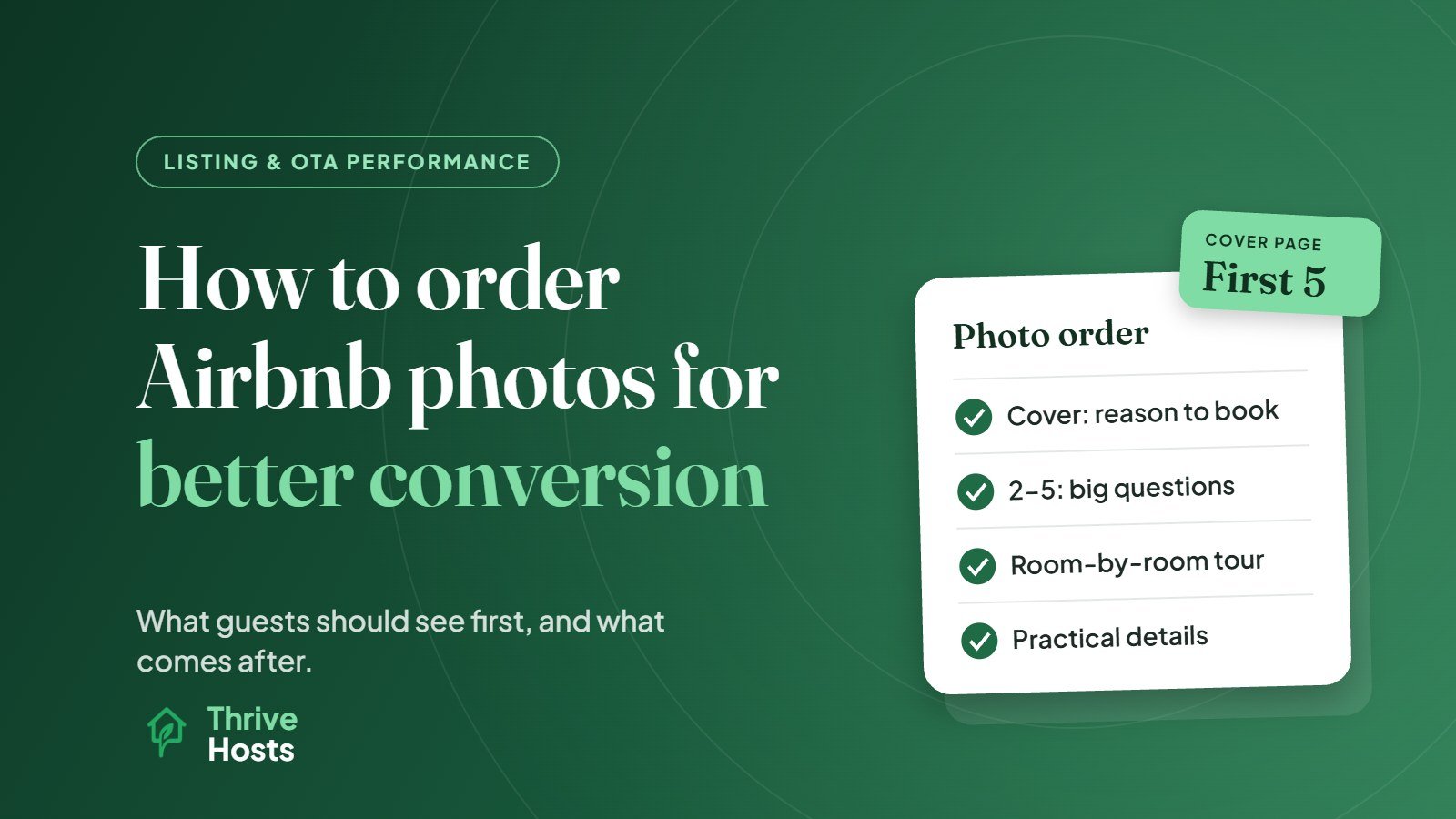
The practical rule is simple: put the reason to book first, answer the guest’s biggest questions in photos two to five, and use the rest to show the property honestly, room by room.
To plan your own sequence, try the free Airbnb photo order planner.
How Airbnb Displays Your Photos
It helps to know where each photo ends up. According to Airbnb’s help center, the first five photos are the most important because they are displayed prominently on your listing page, and the first of those is your cover photo, the image guests see in search results. Beyond those five, Airbnb’s photo tour sorts images into rooms and spaces, using AI to assign new photos to the right room. Airbnb asks hosts to make sure every room or space has at least one photo, at a minimum size of 1024 x 683 pixels.
So you are really making two decisions: which five photos form the cover page, and how the tour is organized behind them. You can reorder the first five by dragging them under All photos, and you can move photos between rooms in the tour.
Photo 1: Your Strongest Reason to Book
The cover photo should show the single thing most likely to make your ideal guest stop scrolling. That is often not the living room, which is the default for many hosts. For a cabin it might be the deck and hot tub at dusk. For a beach apartment it might be the balcony view. For a design-led city flat it might be the best-styled room.
Ask what guests mention most in your reviews and what your listing title promises. The cover photo should support that same idea, so the title and image work together in search. If you have not looked at your title recently, our guide on writing an Airbnb title that gets more clicks covers how the two should line up.
A few technical points matter more for the cover than any other image: it should be bright, sharp, horizontal and easy to read at thumbnail size on a phone. Busy wide-angle shots of a whole room can look cluttered when shrunk.
Photos 2 to 5: Answer the Big Questions
Once a guest opens your listing, they are deciding whether the place fits their trip. The next four photos should answer the questions that matter most for your typical booking. For most properties that means:
- The main living space, so guests can picture spending time there.
- The best bedroom, showing the bed clearly.
- The kitchen or a standout feature, depending on your guest type.
- The outdoor space, view or location, if it is part of the appeal.
Adjust this to your guests. A property that mostly books remote workers should get the workspace into the first five. A family property may want the garden or kids’ room there. A group rental benefits from showing the dining table or a second living area that proves everyone fits.
Avoid using two of your first five on near-identical angles of the same room. Each one should add new information.
The Rest of the Tour: Walk Guests Through the Property
After the cover page, think like a guest walking through the door. Keep each room’s photos together and in a logical order: entrance, living areas, kitchen and dining, bedrooms, bathrooms, outdoor spaces, then amenities and neighborhood. Check that Airbnb’s automatic sorting has put photos in the right rooms, because a bathroom photo filed under a bedroom is confusing.
Include the photos that answer practical questions too: parking, the entrance or check-in point, stairs if there are many, the washer, the workspace, and the bathroom layout if bathrooms are shared or limited. These are not glamorous images, but they prevent the mismatched expectations that lead to awkward messages and weaker reviews.
Be Accurate Even When It Is Less Flattering
It can be tempting to leave out the small second bedroom or the steep stairs. That usually backfires. Guests who feel surprised on arrival tend to say so in reviews, and accuracy problems cost more than a photo that looks slightly less impressive. Show what guests will really experience, styled well and photographed in good light.
Keep the Order Current
Photo order is not a set-and-forget task. Swap the cover image if the season changes the appeal, such as a snowy exterior in winter or a pool in summer. Update photos after renovations or furniture changes, and remove anything that no longer exists. When you change the order, change only that, and give it a few weeks before judging whether views and bookings respond. Changing photos, title and price together makes it impossible to tell what worked.
Quick Photo Order Checklist
- Cover photo shows your strongest reason to book and works at phone thumbnail size.
- Photos 2 to 5 answer the main questions for your typical guest.
- No near-duplicate angles in the first five.
- Every room has at least one photo, sorted into the correct room.
- Practical photos included: entrance, parking, workspace, bathrooms.
- Photos match the property as it is today.
When Photos Are Only Part of the Problem
If guests are opening your listing but not booking, photo order is one of several things to check, alongside price, calendar rules, reviews and how clearly the listing answers guest questions. Thrive Hosts handles listing management and optimization as part of our remote Airbnb co-hosting and operations support, across Airbnb, Vrbo and Booking.com.
You keep your listing and accounts. We keep the listing accurate, current and set up to convert the guests who are already looking.
Get your Airbnb listing reviewed
We will review your cover photo, first five images and photo tour, and show you where the order may be costing you interest.
Get Your Airbnb Listing Reviewed
Bruce J is the CEO of Thrive Hosts and leads the short-term rental team. He works on the operations and performance side of STR: guest communication, pricing and calendar discipline, turnovers, issue tracking and owner reporting across Airbnb, Vrbo and Booking.com. On the blog he writes practical, no-fluff guides for owners and operators who want their rentals to run more consistently.